

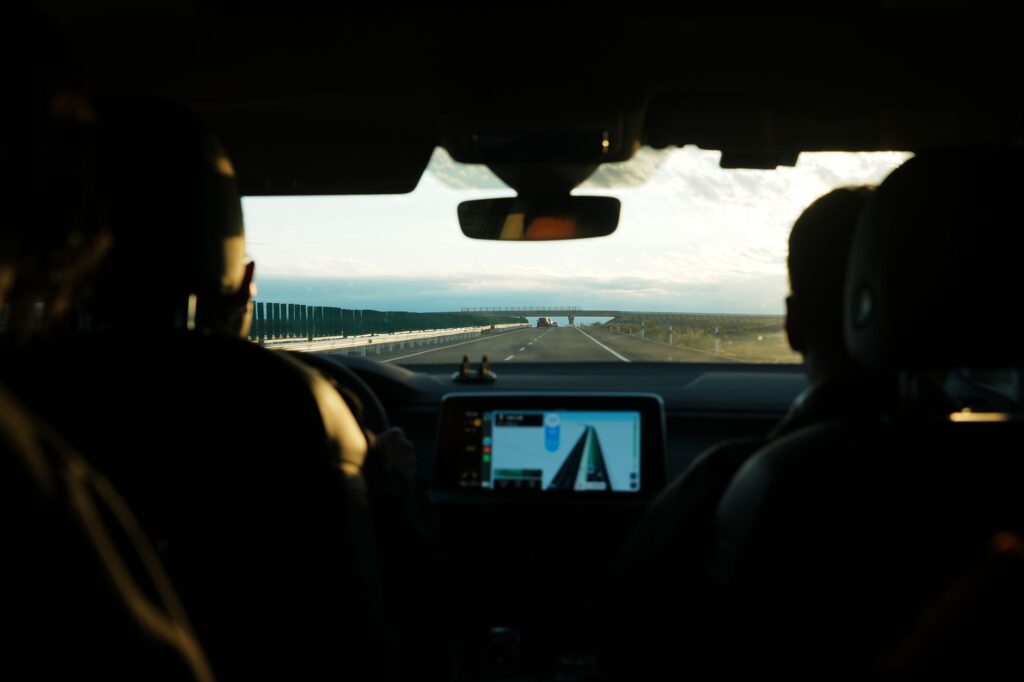
When you’re renting a car and exploring the winding roads of Greece, having solid navigation is make-or-break. Whether you’re heading to a remote beach in the Peloponnese or navigating the narrow streets of an island village, your Greece car rental GPS strategy can mean the difference between a smooth adventure and a stressful afternoon of wrong turns. The good news? Your smartphone is already your best co-pilot if you know how to set it up properly.
Why Greece Car Rental GPS Matters More Than You Think
Greece’s road network is a mix of modern highways and narrow village streets that haven’t changed much in decades. Your phone’s GPS works great on main roads, but the moment you venture into the mountains or head to a smaller island, cellular signal can vanish faster than a Greek coffee. When you’re driving a rental car through Crete or exploring the Peloponnese, signal drops aren’t occasional inconveniences, they’re routine.
This is where greece car rental gps planning becomes essential. You need maps that work without internet, a GPS system that doesn’t drain your battery in four hours, and a backup strategy when technology decides to be moody. Let me walk you through exactly how to nail this before you pick up your rental.
Offline Maps: Your Secret Weapon for Greece Car Rental GPS Navigation
Offline maps are the best invention since the souvlaki. Download them before you leave your hotel, and you’ve got navigation that works anywhere, anytime, without burning through roaming data.

Here are the top options that actually work in Greece:
- Google Maps Offline. Download regions by opening Google Maps, searching for a region (like “Crete” or “Athens”), then tapping your profile icon > offline maps > select your own map. Each download covers roughly 50 km x 50 km. Free, reliable, and works with most Android phones.
- Maps.me. Brilliant for Greece. Download entire regions (the whole of Greece is available), and it uses minimal storage. The app is completely free, doesn’t require internet after download, and includes POI (points of interest) like restaurants and petrol stations. This is what many Greek locals actually use.
- Organic Maps. Similar to Maps.me but lighter weight and privacy-focused. Downloads fast, uses less battery, and includes hiking trails if you’re exploring mountainous areas.
- Garmin BaseCamp. More technical, but brilliant if you’re doing serious mountain driving or off-road exploration. You can pre-load detailed topographic maps.
For greece car rental gps purposes, I’d say download Google Maps for your main routes and Maps.me as a backup. Takes 10 minutes total and saves hours of stress.
Best GPS Navigation Apps for Greek Roads
Offline maps are navigation, but GPS apps take it further with real-time traffic, voice guidance, and smart routing. Here’s what works best when you’re actually driving:
- Google Maps. Still the standard. Recognizes even tiny village roads, updates frequently, and works with your offline downloads. Battery drain is notable though, so bring a car charger.
- Waze. If you like crowd-sourced traffic data and avoiding speed traps (Greek drivers report police locations constantly). Works better on main routes, less reliable in remote areas.
- Apple Maps. Surprisingly improved in recent years. Works seamlessly if you’re on iPhone and has solid Greece coverage.
- Sygic. Paid app (around 30 euros annually) but excellent for Greece specifically. It includes offline maps, speed camera locations, and parking information. Worth it if you’re doing multiple trips.
The honest truth: don’t rely on just one. Have Google Maps as your primary, Maps.me as your offline backup, and Waze or Sygic as a secondary option. Your greece car rental gps experience will be infinitely better with redundancy.
Greece Car Rental GPS Tips: What Actually Works on the Road
Having the apps installed is one thing. Actually using them properly while driving is another. Here’s what I’ve learned from talking to countless travelers:
- Charge before you drive. GPS drains battery like nothing else. Invest in a 12-volt car charger (costs 10-15 euros at any Greek petrol station). Better yet, get one with two USB ports so your passenger can charge their phone too.
- Mount your phone properly. A dashboard mount or windscreen holder is non-negotiable. Holding your phone while driving on mountain roads is dangerous and illegal under Greek driving laws. A mount costs 8-12 euros.
- Download maps before leaving town. Don’t wait until you’re halfway up a mountain. Download Maps.me regions the night before or during breakfast. Takes minutes with WiFi, ages on mobile data.
- Use voice guidance. Having voice tell you “turn left in 200 meters” is safer and less stressful than checking your screen. Make sure your app’s audio is set to a reasonable volume though, not blaring over the engine noise.
- Know when to ignore GPS. Sometimes, Google Maps will direct you down a path that looks more like a goat track than a road. If it looks sketchy, it probably is. Trust your gut and use the offline map to find an alternative route.